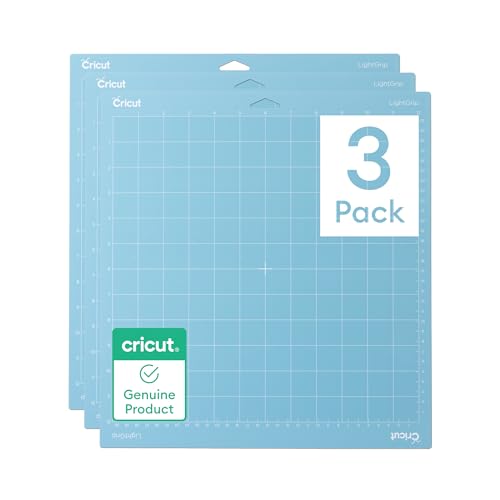
The Cricut LightGrip mat is a versatile tool for lightweight materials, and keeping its surface clean helps maintain strong adhesion and precise cuts. This guide walks through safe, effective cleaning methods using common tools and specialized mats cleaners designed for LightGrip surfaces.
Quick Answer
Use a dedicated mat cleaning kit or a light-touch approach with a soft brush and mild cleaner to remove dust, fibers, and residue without compromising the mat’s adhesive layer. After cleaning, let the mat air-dry completely before reusing.
What You’ll Need
- Cricut LightGrip mat cleaning spray or equivalent adhesive mat cleaner
- Cricut mat cleaner brush for LightGrip or a soft, non-metal brush
- Adhesive mat cleaner for Cricut Light Grip mats (optional for heavy buildup)
- Cricut cutting mat cleaning kit LightGrip (includes cleaners and cloths)
- Cricut LightGrip mat scrub brush and cleaner cloth for gentle scrubbing


Before You Start
Prepare a clean, flat workspace and ensure the mat is fully detached from the machine before cleaning. Avoid soaking the mat in liquids or using harsh solvents that could degrade the adhesive. Time estimate: 10–20 minutes for a light clean, up to 40 minutes for heavy buildup. Critical cautions: never scrub with abrasive pads, and let the mat air-dry completely away from direct heat.
Step-By-Step: How To Clean Cricut LightGrip Mat
- Gently remove loose fibers from the mat surface using a soft brush to prevent deeper rubbing in step two.
- Lightly spray the Cricut LightGrip mat cleaning spray onto a dedicated cleaning cloth or directly onto the mat surface in a mist; avoid soaking.
- Wipe in a circular motion, focusing on areas with paper scraps or adhesive buildup without applying excessive pressure.
- For stubborn residue, use the Cricut mat cleaner brush for LightGrip to very lightly lift debris from the mat without scraping the adhesive.
- Apply a small amount of adhesive mat cleaner for Cricut Light Grip mats to a clean cloth and gently buff the surface to refresh tackiness.
- Rinse the cloth and wipe away any cleaner residue to prevent residue transfer to fabrics or cuts.
- Pat the mat dry with a clean, dry cloth and then let it air-dry completely on a flat surface away from direct heat.
- Reattach the mat to the cutting machine once fully dry and recondition with light use to test tackiness.
- Store tools and cleaners in a cool, dry area and keep the mat in a clean storage space to extend life between cleanings.
- Repeat as needed, ideally after every few projects or monthly for high-use mats.
Troubleshooting
| Symptom | Likely Cause | Fix | Prevention |
|---|---|---|---|
| Mat feels less tacky after cleaning | Over-wiping or residues left behind | Rinse cloth, wipe surface, air-dry completely | Use light sprays; avoid soaking |
| Adhesive lifts or tears during cleaning | Excessive pressure | Use gentler pressure and a softer brush | Clean in short strokes, not scrubbing |
| Streaks appear on material | Cleaner residue | Wipe with dry cloth after cleaning | Rinse and dry thoroughly before use |
| Mat dries unevenly | Cloth left damp or surface folds | Lay flat; avoid folding; air-dry fully | Pat dry with clean cloth; rotate during drying |
Common Mistakes
- Using harsh solvents or alcohol on LightGrip mats
- Soaking the mat in water or cleaners
- Scrubbing with abrasive brushes or scrapers
- Cleaning when the mat is still attached to the machine or not fully dry
- Neglecting routine maintenance, leading to heavy buildup
Tips For Best Results
- Clean mats in a well-ventilated area to avoid inhaling cleaner fumes.
- Test cleaner on a small inconspicuous area before full cleaning.
- Use the lightest touch possible to preserve tackiness and prolong mat life.
- Rotate through multiple LightGrip mats to always have a clean one handy for projects.
- Label each mat with a short note on last cleaning date for maintenance pacing.
Call A Professional
If the mat shows persistent delamination, peeling adhesive, or visible warping after routine cleaning, consider professional inspection or replacement. Stop using a mat that sheds adhesive or compromises cut quality, and seek guidance from Cricut support or an authorized service provider.
FAQ
Can I use dish soap to clean a Cricut LightGrip mat?
Dish soap can be used sparingly if diluted, but stick to products designed for Cricut LightGrip mats to protect the adhesive.
How often should I clean a LightGrip mat?
Clean after heavy use or every few projects to maintain tackiness and readiness for delicate materials.
Will cleaning restore the mat to factory tackiness?
Cleaning can refresh tackiness but may not fully restore factory conditions if the mat is heavily worn.
What signs indicate a mat needs replacement?
Persistent loss of adhesion, cracks in the surface, or significant warping indicate replacement is likely necessary.
Can I clean LightGrip mats with a washing machine?
No, washing machines can damage the surface; cleaning should be hand-cleaned with the recommended methods.
Is it safe to use the Cricut cleaning kit on multiple mats?
Yes, but avoid cross-contamination; designated brushes and cloths per mat batch help prevent residue transfer.
Buying Guide
When choosing cleaning products for Cricut LightGrip mats, consider size of the kit, compatibility with LightGrip surfaces, and ease of use. Questions to ask include: Do the cleaners come with a soft brush and cleaning cloth? Is the spray designed to refresh tack without leaving residue? Look for products labeled specifically for LightGrip mats and check for clear drying times. For households with multiple mats, a cleaning kit that bundles a scrub brush, cleaner spray, and cleaning cloth can save time. Assess noise level and ease of storage, and ensure cleaners are non-corrosive to preserve adhesive longevity. Think about whether you prefer a spray-on solution or a cleaning wipe system for quick maintenance between projects.