Whiteboards are a staple in classrooms, offices, and home study spaces. Over time, stubborn marker stains can leave ghosting and faint color rings that hinder readability. This guide provides practical, step-by-step methods using common products to restore a clean whiteboard surface without damaging the board or its coatings.
Quick Answer
For most marker stains, start with a dedicated whiteboard cleaner spray or isopropyl alcohol. Wipe with a microfiber cloth, repeat if necessary, and finish with a dry wipe. For tough marks, apply a small amount of alcohol to a microfiber wipe and rub gently in circular motions until the stain lifts.
What You’ll Need
- Isopropyl alcohol 70% rubbing alcohol for whiteboard cleaning
- Whiteboard cleaner spray 32 oz alcohol-based
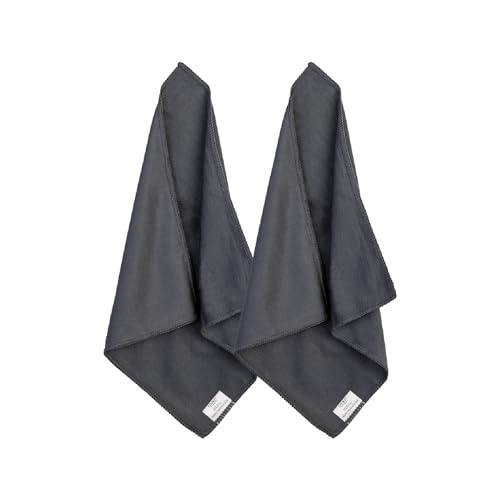
- Microfiber cloth for whiteboard cleaning 12×12 inches
- Dry erase board eraser microfiber wipe set
- Spray bottle 16 oz empty for whiteboard cleaner

![McKesson Isopropyl Rubbing Alcohol 70% [1 Count] USP First Aid Antiseptic, 16 oz](https://m.media-amazon.com/images/I/31AHXzuEb-L._SL500_.jpg)
Before You Start
Prepare a clean, ventilated area and lay down a protective mat or old cloth to catch drips. Test any cleaning solution on a small, inconspicuous corner of the whiteboard first to ensure it does not dull the surface. Allow the board to dry completely before writing again. Never scrub vigorously with abrasive pads or apply concentrated chemical products directly to the board.
Time estimates: a typical stain removal takes 5–15 minutes per area, depending on the stubbornness of the ghosting. For best results, perform routine cleanings weekly to minimize buildup.
Step-By-Step: How To Clean Whiteboard Marker Stains
- Lay the whiteboard cleaner spray within reach and prepare a damp microfiber cloth.
- Spray the cleaner lightly over the stained area and wait 15–20 seconds to loosen the ink.
- Wipe with a clean microfiber cloth using broad, even strokes to remove surface marks.
- If stains persist, apply a small amount of isopropyl alcohol 70% to a fresh cloth and rub in gentle circular motions.
- Continue wiping in sections, rewetting the cloth as needed, until the marks disappear.
- Flip to a dry microfiber wipe or dry erase board eraser microfiber wipe set to remove any residual moisture.
- Inspect the board in raking light to confirm all ghosting is removed; repeat steps as necessary.
- Rinse with a light spray of cleaner and wipe again to leave a protective, residue-free surface.
- Allow the board to air dry completely before writing on it again.
- For maintenance, perform a light wipe-down weekly using the microfiber cloth and cleaner spray.
- Store cleaning supplies in a cool, dry place away from direct sunlight to preserve effectiveness.
Troubleshooting
| Symptom | Likely Cause | Fix | Prevention |
|---|---|---|---|
| Stubborn ghosting after cleaning | Residual ink and built-up residue | Reapply cleaner and rub with a fresh microfiber cloth; use isopropyl alcohol on stubborn spots | Clean weekly to prevent buildup |
| Faint surface dullness after cleaning | Over-wetting or harsh scrubbing | Switch to light wipes and smaller amounts of cleaner | Use a soft microfiber cloth only |
| Sticky residue on board | Product leftovers | Wipe with a dry microfiber cloth until tackiness disappears | Rinse with cleaner and wipe dry |
| Discoloration after cleaning | Harsh solvent or incompatible coating | Cease use of harsh solvents and switch to recommended products | Test products in a corner first |
Common Mistakes To Avoid
- Using abrasive pads or scrubbers that scratch the whiteboard surface
- Over-wetting the board, which leads to longer drying times and potential streaking
- Relying on a single cleaner for all types of markers and inks
- Neglecting to dry the surface after cleaning, which can affect marker performance
Tips For Best Results
- Regular cleaning with a dedicated whiteboard cleaner helps maintain whiteboard brightness
- Keep a small amount of isopropyl alcohol on a microfiber cloth for quick touch-ups
- Use the 12×12 inch microfiber cloth for controlled, detailed wiping around edges
- Store the 16 oz spray bottle out of direct sunlight to prevent chemical degradation
Call A Professional
Contact a professional if the whiteboard shows deep scratches, coating peeling, or persistent staining after repeated cleaning attempts. Major surface damage or stubborn ghosting that impedes readability may require replacement or refurbishment by a specialist.
FAQ
Can I use regular household cleaners on a whiteboard?
Household cleaners with harsh solvents can damage the surface; use dedicated whiteboard cleaners or isopropyl alcohol for best results.
How often should I clean a whiteboard?
Wipe down after use and perform a deeper clean every week or two to prevent ghosting.
What if the marker won’t erase?
Apply a small amount of cleaner or isopropyl alcohol to a microfiber cloth and rub the area until the ink lifts.
Is it safe to use alcohol-based cleaners on all whiteboards?
Most whiteboards tolerate alcohol-based cleaners, but always test a small area first and follow the manufacturer’s care instructions.
Buying Guide
When selecting whiteboard cleaning supplies, consider size, surface compatibility, and ease of use. Key factors include:
- Size of the cleaner bottle and the reach of spray bottles for large boards
- Noise level of any erasing tools or wiper sets if used in quiet environments
- Energy efficiency refers here to minimal labor and time spent cleaning
- Controls simple spray and wipe action with minimal steps
- Placement store cleaners away from children and ensure easy access near frequently used boards
For a complete cleaning kit, consider pairing isopropyl alcohol, an alcohol-based cleaner, a microfiber cloth, an eraser wipe set, and a spray bottle to streamline routine maintenance.